
How to Install Mods on a Minecraft Server (Forge, Fabric, NeoForge)
Mods need a mod loader on the server, the same loader and Minecraft version on every player's game, and a mod list that agrees with both. Get those three right and installing mods takes minutes. This guide covers choosing between Forge, NeoForge and Fabric, installing mods one by one or as a modpack, and what to do when a modded server refuses to start.
On this page (10 sections)
If you only want server-side features like land claims, economy or permissions, you probably want plugins rather than mods. That route is covered near the end.
Mods or plugins?
- Mods change the game itself: new blocks, mobs, dimensions, machines. They run on a mod loader (Forge, NeoForge, Fabric or Quilt), and most must be installed on both the server and every player's game.
- Plugins run on Paper or Spigot and only live on the server. Players join with an unmodified game, which makes plugins the easier choice for public servers.
- Plugins do not work on vanilla, Forge or Fabric servers, and mods do not work on Paper. Pick one path per server.
Forge, NeoForge or Fabric: which loader?
Let the mods decide. Open the download page of each mod you want and note which loaders and Minecraft versions it supports. The loader and version that cover your whole list is your answer.
- Forge has the longest history and the largest catalogue for older versions such as 1.12.2, 1.16.5 and 1.20.1.
- NeoForge split from Forge in 2023. Many large content mods for newer versions release for NeoForge first. Forge and NeoForge mods are not interchangeable on newer versions.
- Fabric is lightweight and updates quickly to new Minecraft releases. Most Fabric mods also need the Fabric API mod installed alongside them.
- Quilt is a Fabric fork that can load most Fabric mods. Only choose it if a mod you want requires it.
Step 1: Back up and install the loader
- In the Game Hosting Panel, open Backups and click Create backup. Switching loaders can make an existing world unusable.
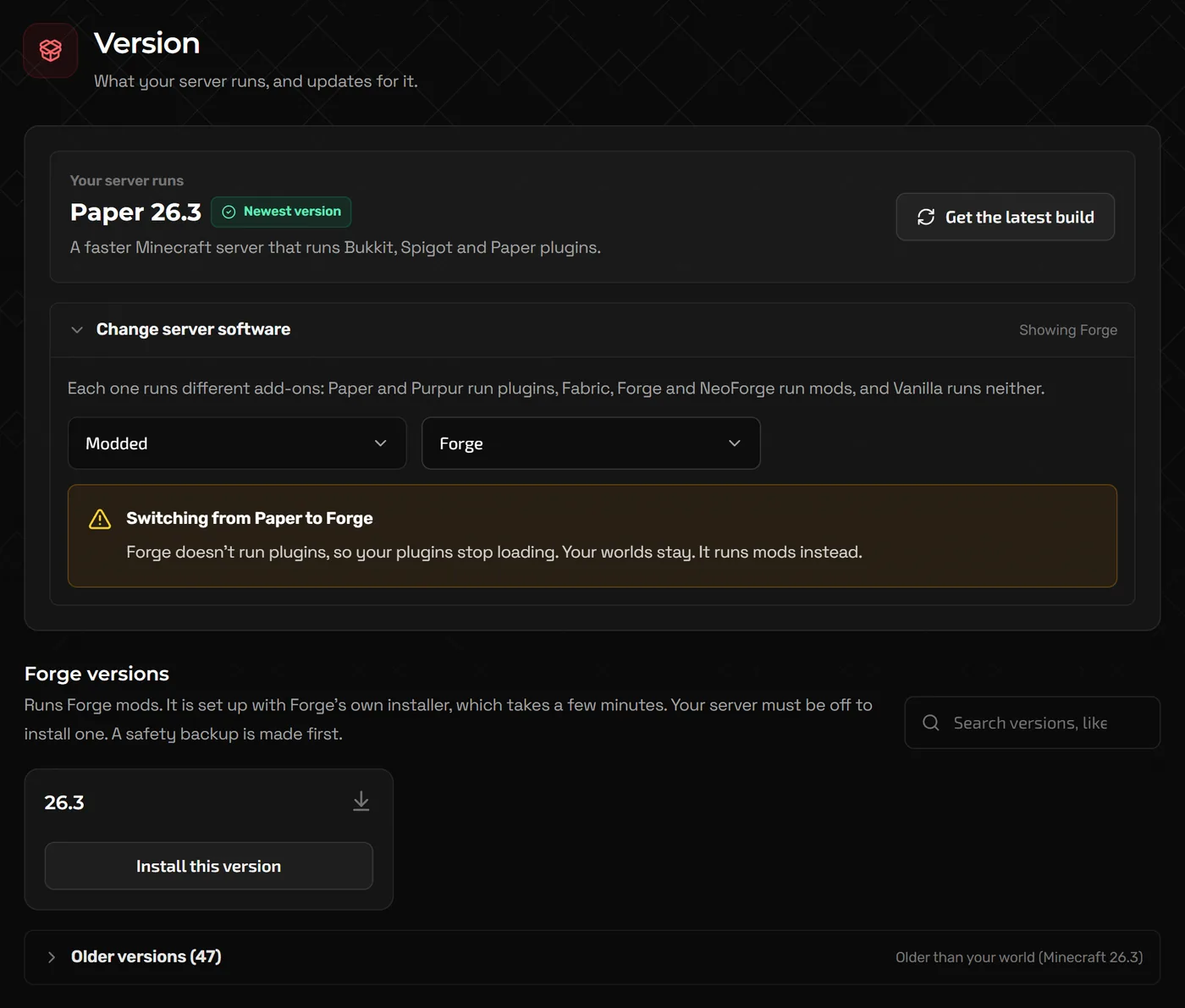
- Stop the server and open Version (Advanced view: Version changer). Above the list of versions, choose Forge, NeoForge or Fabric under Server software (Software group narrows the list to Modded), and type your Minecraft version in Search versions.
- Click Install on that version and confirm. The panel makes and checks a safety backup first; Forge and NeoForge are set up with their own installer, which takes a few minutes.
- Start the server. The first start creates a
modsfolder.
Step 2a: Add mods from the Mods page
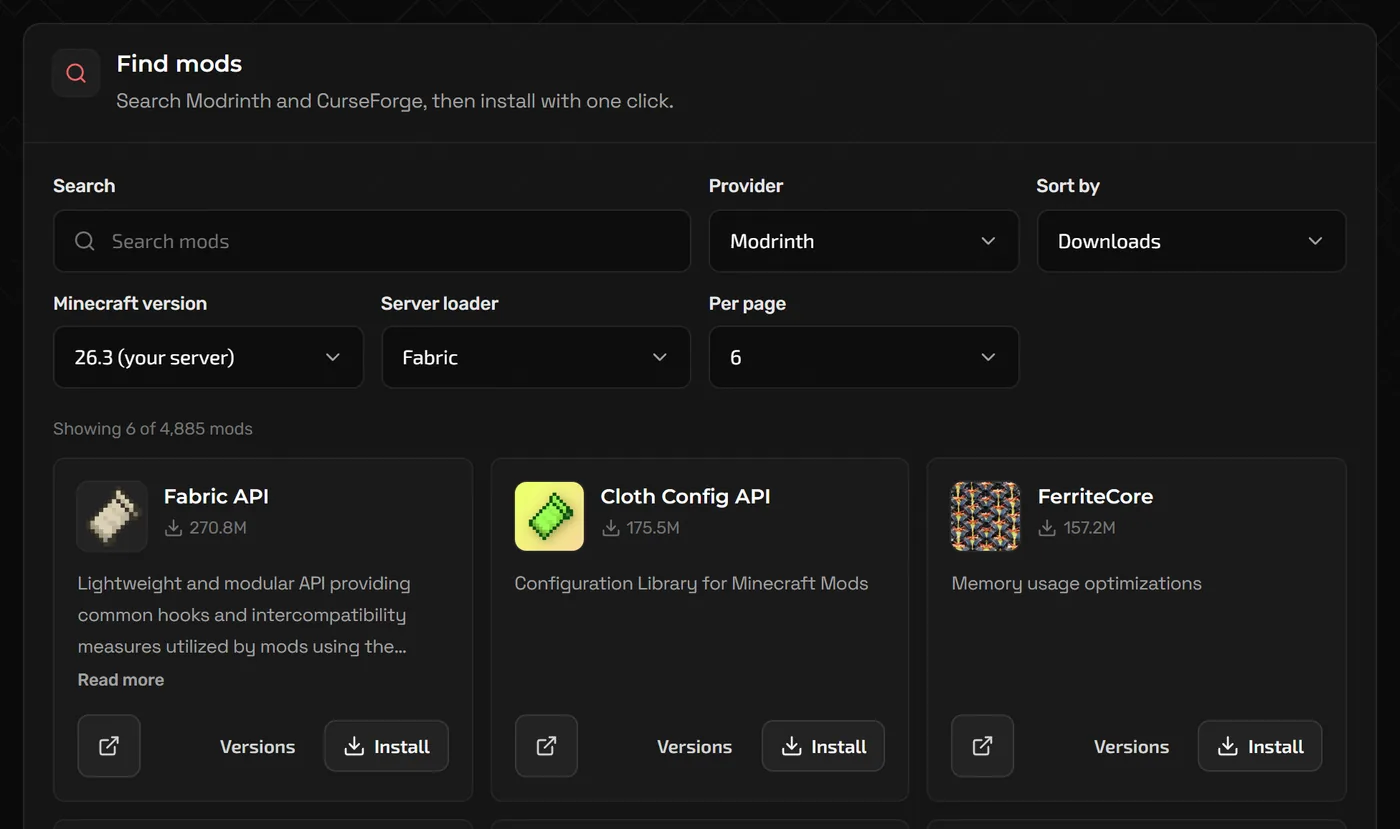
The Mods page lists the mods installed on your server and, under Find mods, searches mod sites such as Modrinth from inside the panel.
- Open Mods. Find mods searches for your server's loader and Minecraft version, so only compatible files appear; change Minecraft version, Sort by or Per page if you need to. If the page cannot tell your loader, it asks for it under Server loader.
- Search for a mod and click Install. Use Versions on a mod if you need a specific release to match your players.
- Install the mod's dependencies too. The mod page lists them; common ones are Fabric API, Architectury and Cloth Config.
- Restart the server and read the console for errors before inviting players.
Step 2b: Upload mod files yourself
For mods not in the catalogue, or to copy an exact list from your own game:
- Download each mod's
.jarfrom its official Modrinth or CurseForge page, matching both the loader and the Minecraft version exactly. - Stop the server.
- In Files, open the
modsfolder and click Upload. For a long list or very large files, SFTP is easier: Connect with SFTP in the Files toolbar shows the address, port and username, and lets you set your SFTP password. - Start the server and watch the console until it finishes loading.
/
  mods/
    fabric-api-0.x.x+1.21.jar
    lithium-fabric-0.x.x.jar
  config/          <- per-mod settings, created on first start
  world/
  server.properties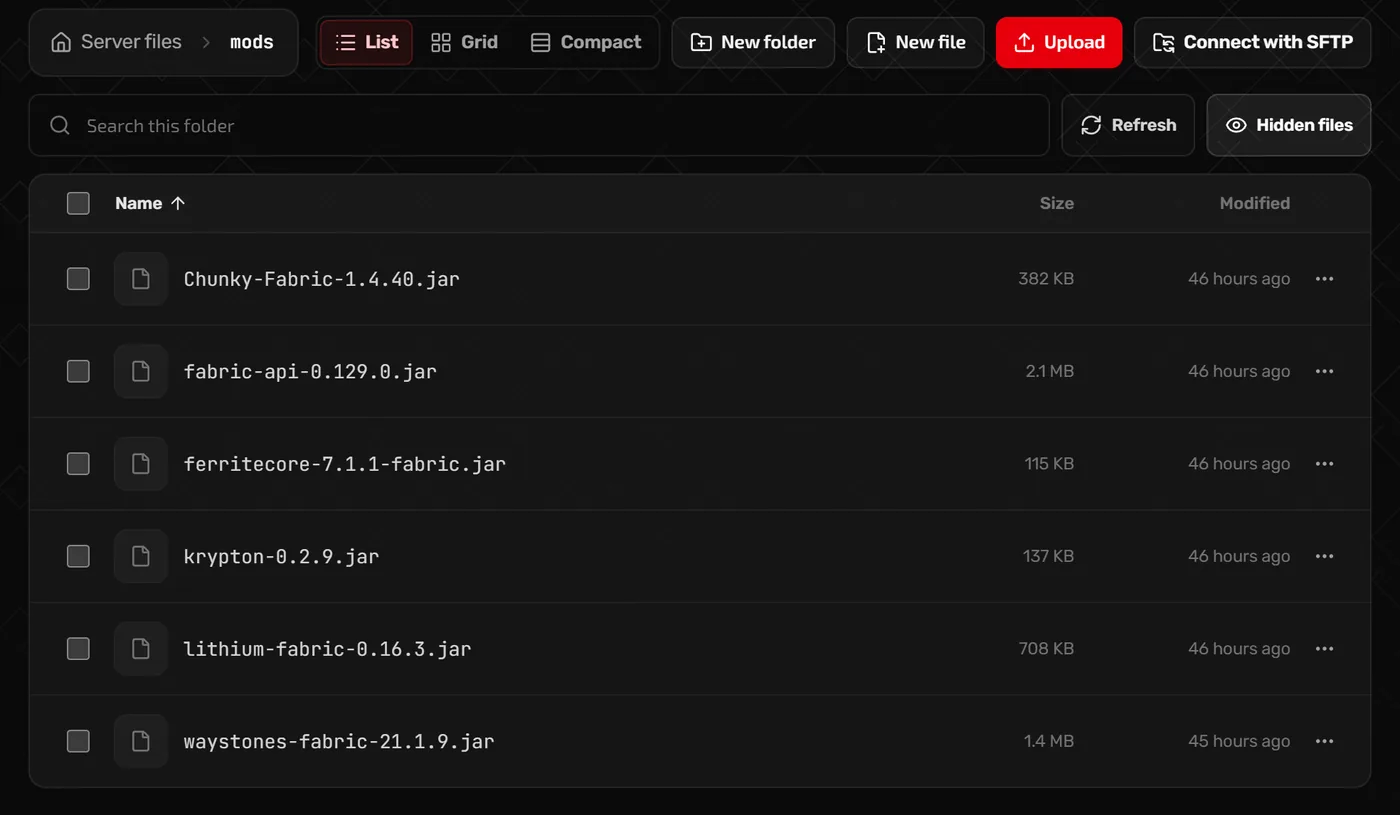
mods folder: Upload adds jars from your PC.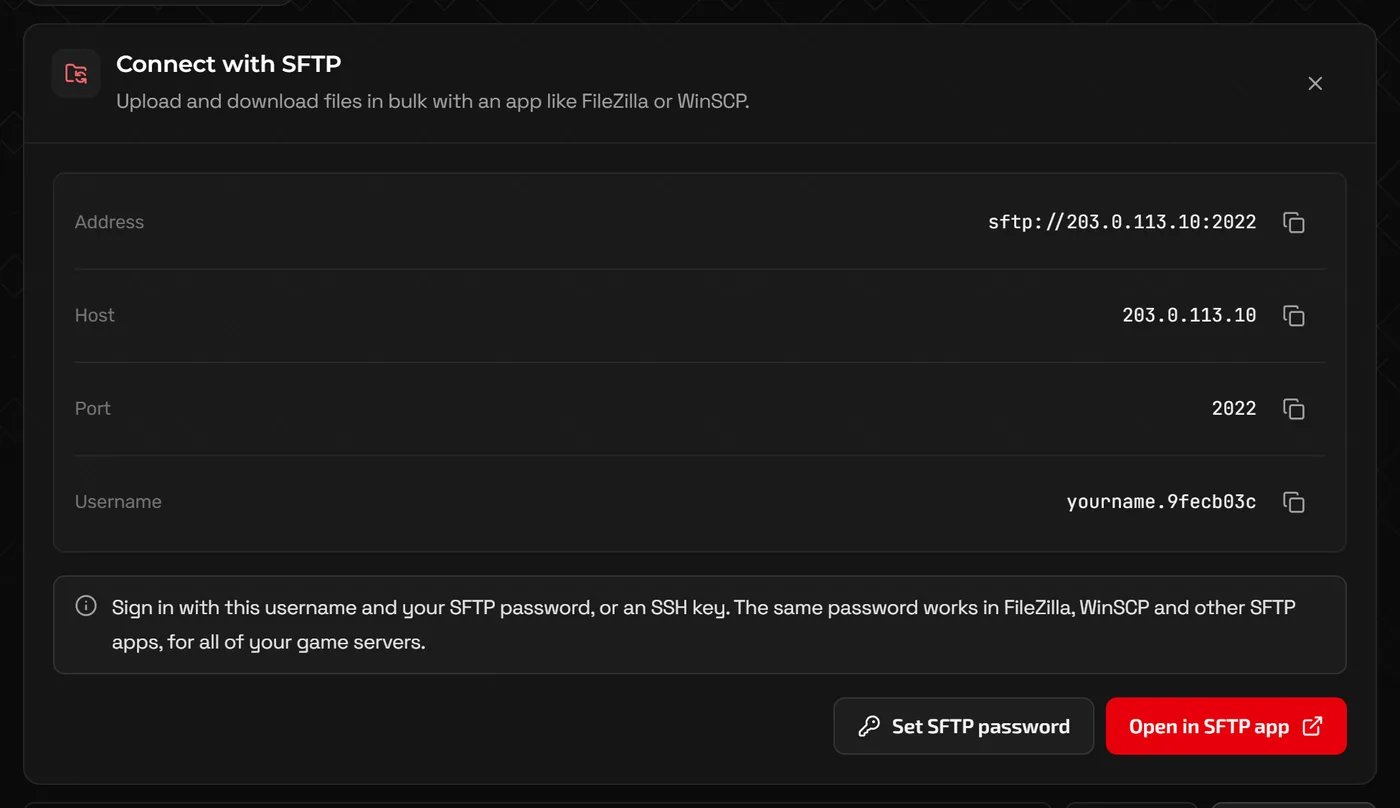
Keep client-only mods off the server
Some mods only change what a player sees and have nothing to do on a server. Rendering and shader mods such as Sodium, Iris and Oculus, and most HUD or zoom mods, belong on players' games only. On Forge and NeoForge a client-only mod commonly crashes the server at startup with an error mentioning an "invalid dist" or a missing client class.
Modrinth shows whether a mod is required on the client, the server or both on its project page. When in doubt, add mods one at a time and restart between each.
Tip: Players still need every mod that adds content (blocks, items, entities) installed at the same version as the server, or they get a mismatch error when joining.
Installing a whole modpack
A modpack keeps the server and players on an identical, tested mod list. The Modpacks page has Find a modpack, with a Recommended catalog of popular server-ready packs and an All providers search, and Upload a CurseForge ZIP for a pack you exported from the CurseForge app.
- Open Modpacks and search for the pack.
- Click Check and install and choose the release your players will use. Before installing, the panel shows backup, memory, Java, loader and stability checks for that release.
- Confirm the install. The panel stops the server and confirms a restorable safety backup before any files change; the backup appears on the Backups page. Start the server once it finishes.
- Players install the same pack and version in their launcher, for example the CurseForge app, Modrinth App, FTB App or Prism Launcher.
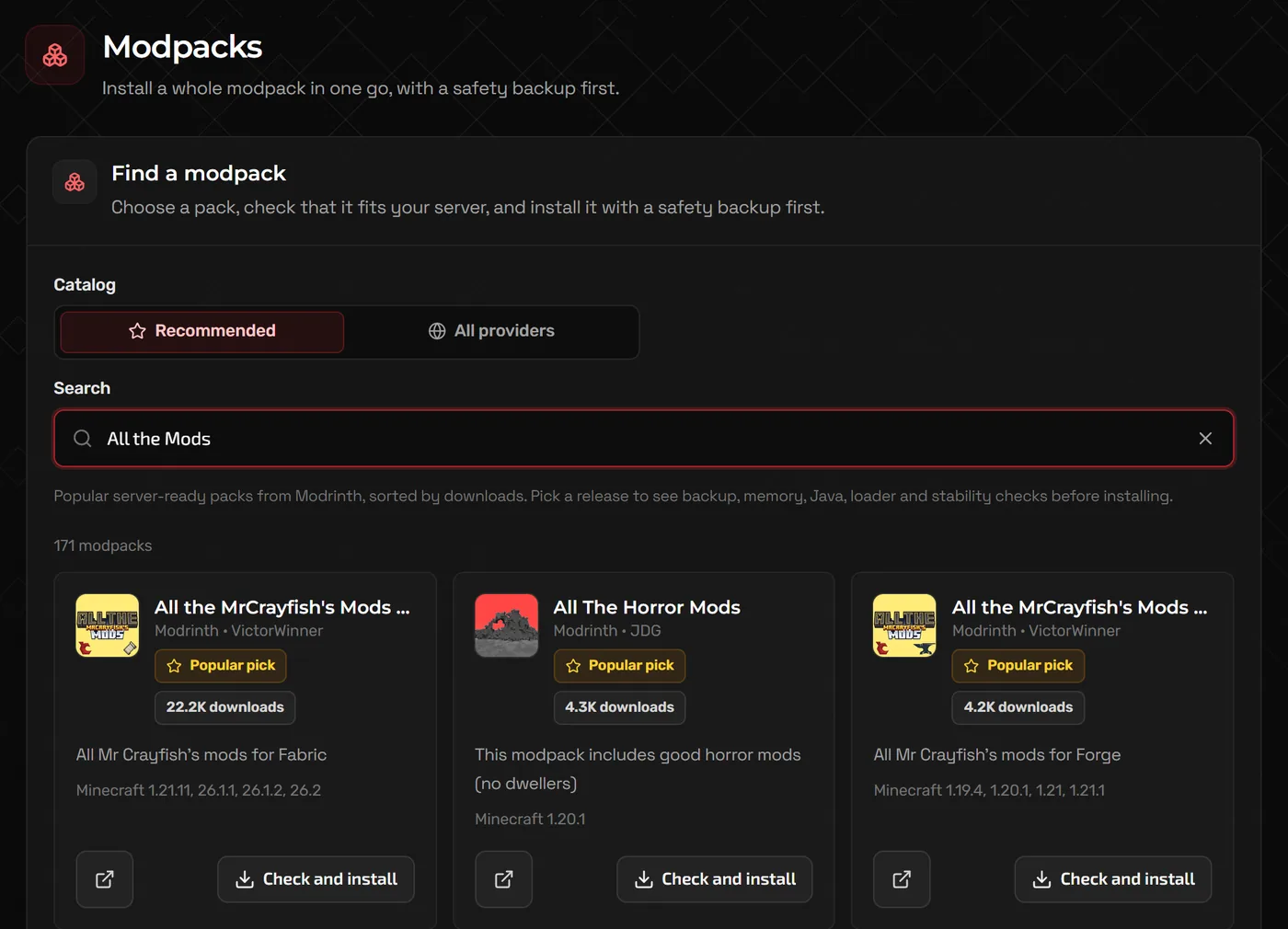
Large packs often want 8 GB of memory or more. Check the pack page for its recommended server RAM, and see our Minecraft RAM guide for choosing a plan.
Plugins instead: Paper and Spigot
- On Version, pick Paper under Server software and install it for your Minecraft version.
- Open Plugins. Find plugins searches for plugins that run on your server's software and Minecraft version; install what you need. You can also upload
.jarfiles to thepluginsfolder in Files. - Restart the server rather than using
/reload, which Paper does not support and which breaks many plugins. - Each plugin writes its settings to
plugins/<PluginName>/config.ymlon first start.
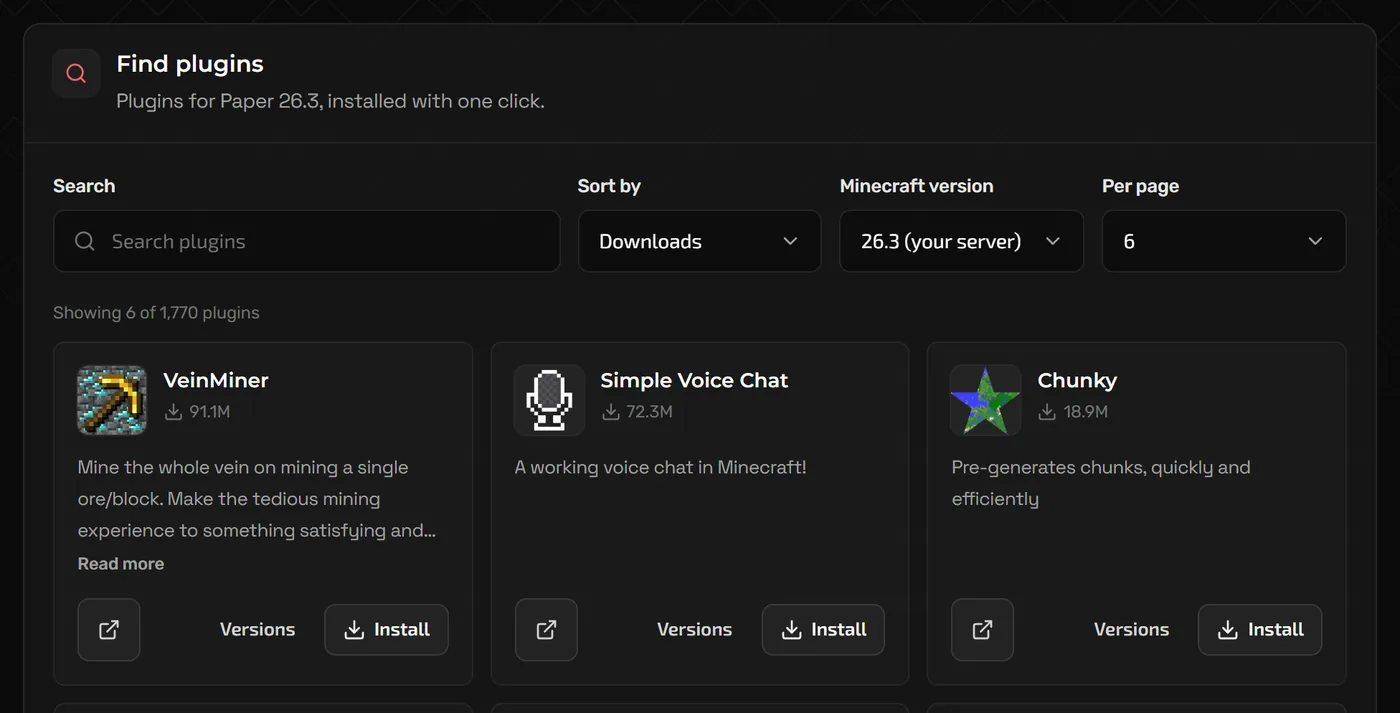
Common starting points are EssentialsX for basic commands and homes, LuckPerms for permissions, and WorldEdit with WorldGuard for building and protecting areas.
When a modded server will not start
Read the end of the console output, logs/latest.log, or the newest file in crash-reports. The cause is almost always named there:
- Missing dependency: Fabric reports that a mod "requires" another mod; Forge and NeoForge list "missing or unsupported mandatory dependencies". Install what it names.
- Wrong loader or version: a Fabric mod in a Forge server, or a 1.20.1 mod on 1.21, will not load. Replace it with the correct file.
- Client-only mod: remove the rendering, shader or HUD mod mentioned in the error.
java.lang.OutOfMemoryError: the pack needs more memory than your plan has. Remove mods or upgrade the plan.- Still stuck: move half of the mods out of the
modsfolder and restart. Keep halving until you find the culprit, or restore your backup.
FAQ
Do players need to install the same mods?
For any mod that adds content, yes: the same mod at the same version. Server-only mods, such as some performance or admin tools, do not need to be on players' games. Plugins never need to be installed by players.
Can I run mods and plugins on one server?
Hybrid servers such as Mohist and Arclight try to load both, but many mods and plugins misbehave on them. For most groups it is simpler to pick mods or plugins.
Can I switch an existing world from Forge to Fabric?
The world will usually load, but blocks and items from mods that are no longer installed disappear. Back up first, and expect to start a fresh world when changing loaders.
Where do mod settings go?
Most mods create files in the config folder the first time the server starts. On Forge and NeoForge, some settings are stored per world in world/serverconfig. Stop the server before editing them.
Related guides
How to Make a Minecraft Server to Play With Friends
Java or Bedrock, how much RAM you need, the server.properties settings that matter, ops and whitelists, and how friends connect.
How to Make a Terraria Server (Vanilla and tModLoader)
Create or upload a world, the serverconfig.txt settings, console commands, and running tModLoader mods on your server.
How Much RAM Does a Minecraft Server Need?
RAM by player count, plugins, mods and modpacks, how to read the memory graph, and when RAM is not the real problem.