
How to Make a Terraria Server (Vanilla and tModLoader)
A Terraria server lets your group keep building and boss hunting in the same world without one player having to leave the game open. This guide covers creating or uploading a world, the settings in serverconfig.txt, the console commands you will use, and running a modded tModLoader server that everyone can join.
On this page (8 sections)
Terraria servers are light compared with most survival games, so the main decisions are about the world and whether you want mods.
Vanilla or tModLoader?
- Vanilla Terraria is the game as released. Anyone with Terraria can join with no setup.
- tModLoader is a free, separate app on Steam that adds mod support, used for packs like Calamity or Thorium. Everyone needs tModLoader and the same mods.
- The two are not interchangeable: vanilla players cannot join a tModLoader server or the reverse, and each keeps its own characters and worlds.
Decide this first, because the server type determines which world files you can use.
Step 1: Create a new world
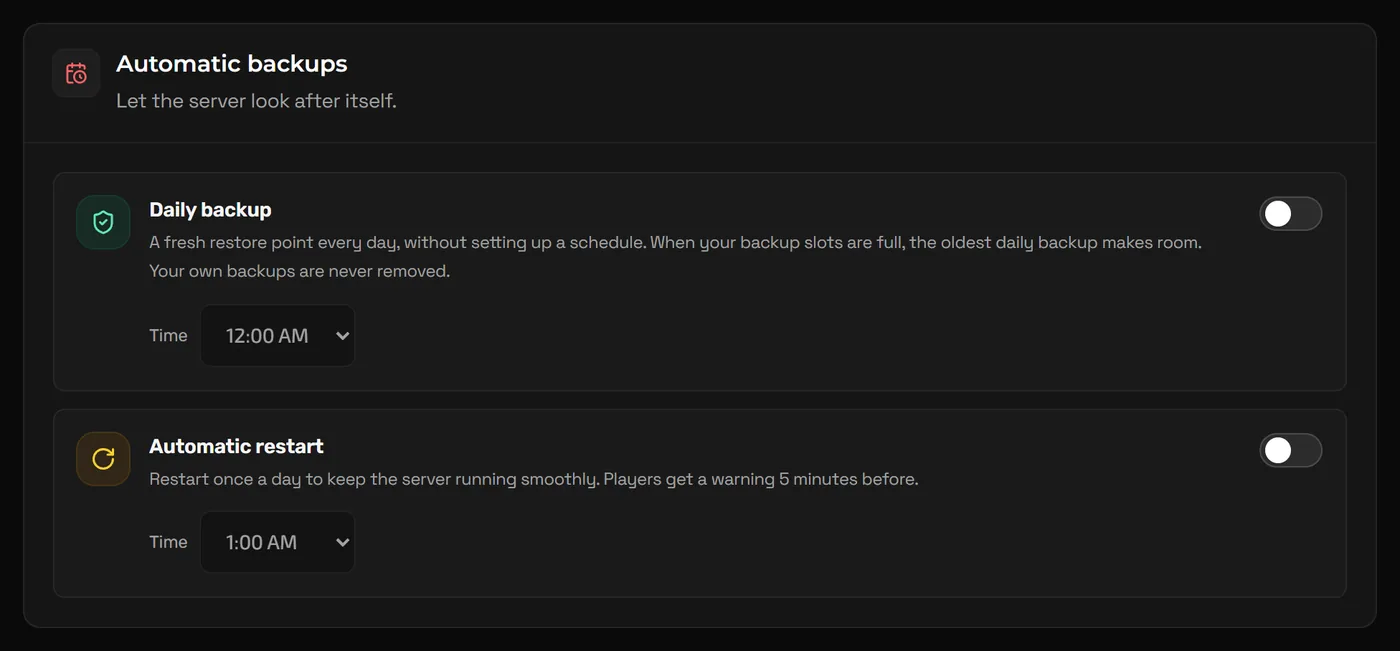
Terraria generates a world on first start when the configured world file does not exist. On NEXUS, world name, size, difficulty, player slots and password are typically startup options in the Game Hosting Panel: click Advanced tools at the bottom of the sidebar and open Startup. Anything not listed there goes in serverconfig.txt, which you can edit in Files.
worldnamee.g. Hallow Friends- Name of the world to generate.
autocreatee.g. 2- World size when generating:
1small,2medium,3large. Large worlds take longer to generate and use more memory. difficultye.g. 1- Only used when generating:
0classic,1expert,2master,3journey. seede.g. for the worthy- Optional. Accepts normal seeds and the special secret seeds.
Warning: A world's difficulty is fixed once it is generated. Journey mode worlds only accept journey characters, and journey characters cannot join other worlds, so agree on this with your group before generating.
Or: upload a world you already play
- On your PC, open
Documents\My Games\Terraria\Worlds(for tModLoader,Documents\My Games\Terraria\tModLoader\Worlds). If the world is saved to Steam Cloud, click its cloud icon in the world select menu first to move it to your PC. - Copy
YourWorld.wld. For tModLoader, also copyYourWorld.twld, which holds modded data. - Stop the server and click Create backup on the Backups page.
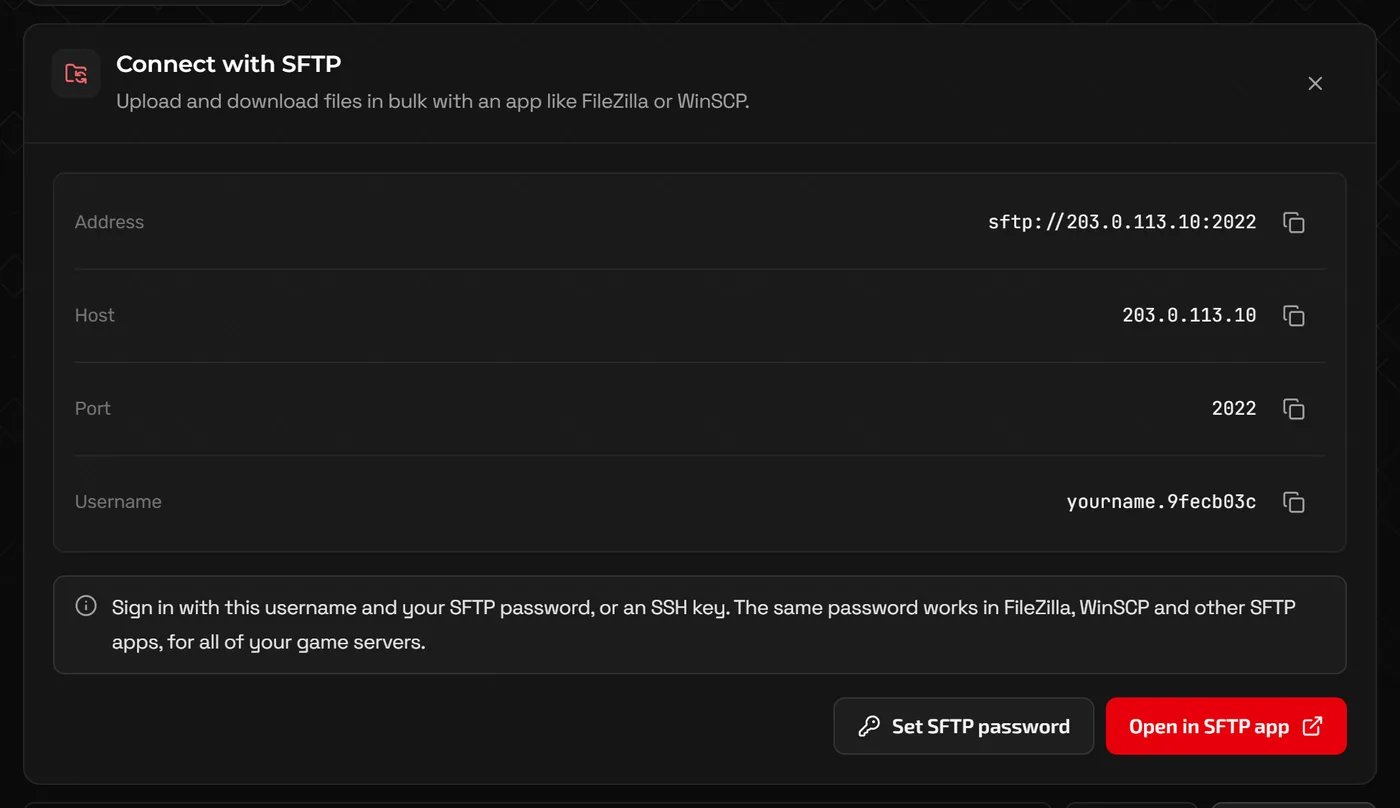
- Upload the files to the server's worlds folder with Files, or over SFTP for large worlds.
- Point the server at the world (the world name on Startup, or the
world=path inserverconfig.txt) and start it.
Step 2: Other serverconfig.txt settings
maxplayers=8
password=changeme
motd=Welcome! Boss night is Friday.
secure=1
language=en-USmaxplayerse.g. 8- Player slots, up to 255. Most groups need far fewer.
passworde.g. changeme- Leave empty for no password.
motd- Message shown to players when they join.
securee.g. 1- Enables Terraria's built-in cheat protection.
porte.g. 7777- Leave this as the port assigned to your server in the panel.
Step 3: Join the server
- Copy your server address from the Home page in the panel with Copy address. It shows the IP and the port.
- In Terraria (or tModLoader), choose Multiplayer, then Join via IP.
- Pick a character, enter the IP, then the port, and the password if you set one.
Server console commands
Vanilla Terraria has no in-game admin commands. Moderation happens in the server console, which you reach from the Console page of the panel. Type commands without a slash.
playing                 list connected players
kick PlayerName         remove a player
ban PlayerName          ban a player (stored in banlist.txt)
say Boss fight in 5!    message everyone
save                    save the world now
dawn / noon / dusk / midnight   change the time
settle                  settle all liquids
password NewPassword    change the password until the next restart
exit                    save and shut down
To unban someone, remove their line from banlist.txt in Files and restart.
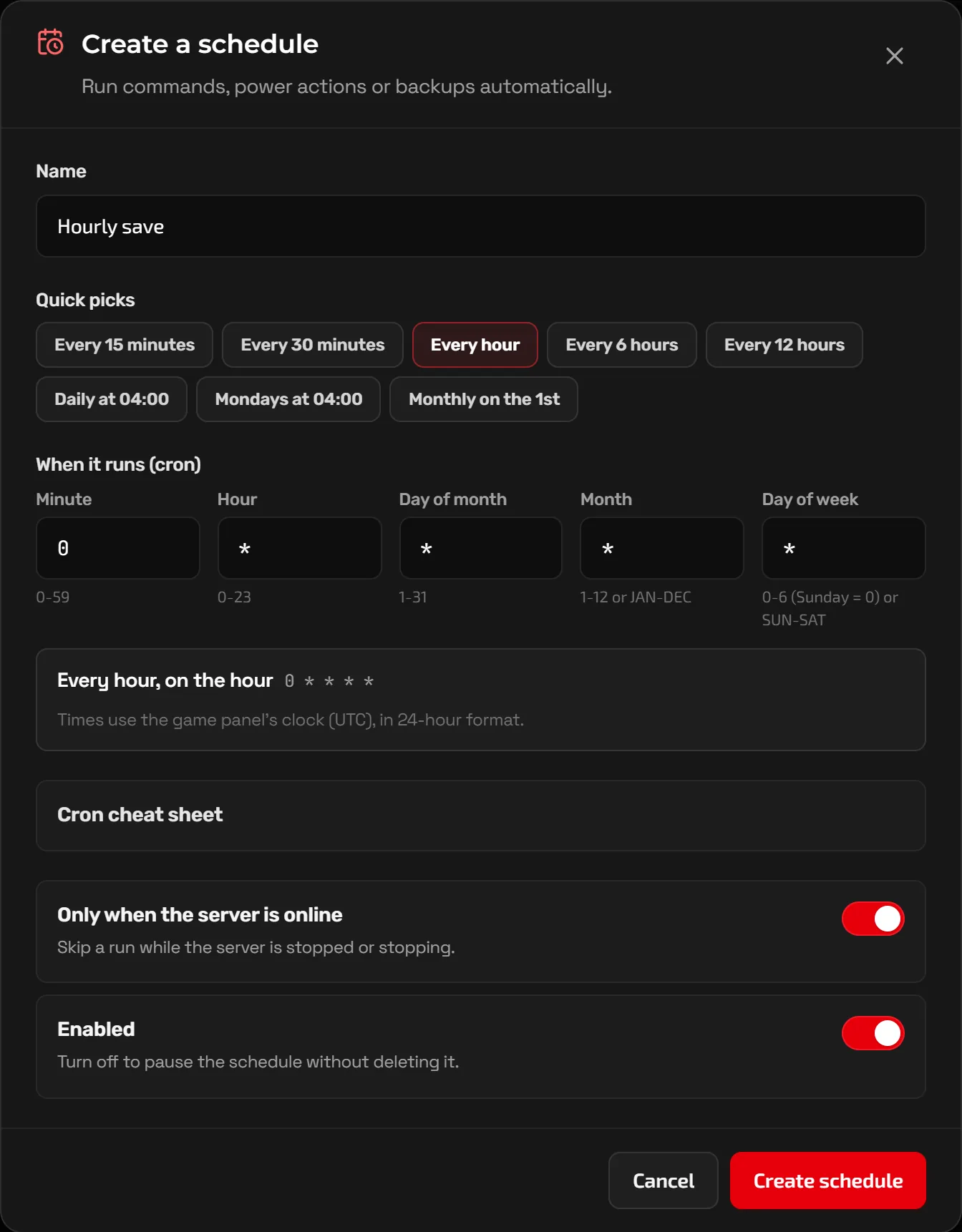
Commands can also run on a timer. In the Advanced view, Schedules lets you create a schedule with cron-style timing and add tasks such as sending save to the console every hour.
Running mods with tModLoader
A tModLoader server reads mods from its Mods folder. Each mod is a .tmod file, and enabled.json lists which ones to load.
- Make sure your server runs tModLoader rather than vanilla Terraria. If you ordered a vanilla server, ask support about switching it.
- On your PC, find the
.tmodfiles for your mods. Mods subscribed on the Steam Workshop are in your Steam library understeamapps/workshop/content/1281930/, one folder per mod, each with version subfolders; use the file in the newest one. - Stop the server and upload the
.tmodfiles to the server'sModsfolder. - Create or edit
enabled.jsonin the same folder so it lists every mod's internal name (the file name without.tmod). - Start the server and check the console loads each mod without errors.
[
  "CalamityMod",
  "MagicStorage",
  "RecipeBrowser"
]- Everyone should run the same mods at the same versions. When a player joins, tModLoader compares their mods with the server's and offers to fix differences, but sharing your mod list up front avoids surprises.
- Large content mods need noticeably more memory than vanilla. If the server struggles during boss fights, upgrade the plan from the client portal.
- Update mods on the server whenever players update theirs, or nobody will be able to connect.
FAQ
Can I have in-game admin commands?
Not in vanilla Terraria. TShock is a popular server replacement that adds in-game admin commands, permissions and region protection. It is a different server type, so ask support if you want it.
Can I move the world back to my PC later?
Yes. Stop the server, download the .wld file (and the .twld file for tModLoader) from Files or from a backup, and put them in your local Worlds folder.
How do I reset the world?
Stop the server, back it up, then either delete the world file or change the world name so a new one is generated with your current settings on the next start.
Why can a friend not join my tModLoader server?
Most often their mod versions differ from the server's, or they are launching vanilla Terraria instead of tModLoader. Have them update their mods and join through tModLoader.
Related guides
How to Make a Minecraft Server to Play With Friends
Java or Bedrock, how much RAM you need, the server.properties settings that matter, ops and whitelists, and how friends connect.
How to Install Mods on a Minecraft Server (Forge, Fabric, NeoForge)
Pick the right mod loader, install mods and modpacks, keep client-only mods off the server, and use plugins on Paper instead.
How Much RAM Does a Minecraft Server Need?
RAM by player count, plugins, mods and modpacks, how to read the memory graph, and when RAM is not the real problem.