

ARK: Survival Ascended Server Settings (GameUserSettings.ini and Game.ini)
ARK: Survival Ascended has hundreds of server settings split across two files, and the most common reason a setting "does nothing" is that it is in the wrong file, under the wrong heading, or was overwritten when the server shut down. This guide explains how the two files differ, the settings most servers change, and how to add admins and CurseForge mods.
On this page (7 sections)
All multipliers default to 1.0. Higher is faster or more generous unless noted.
GameUserSettings.ini vs Game.ini
Both files are in ShooterGame/Saved/Config/WindowsServer/. ASA's server is a Windows build, so the folder is called WindowsServer even on a Linux host.
- GameUserSettings.ini holds server and session settings: passwords, rates (XP, taming, harvesting), difficulty, PvE rules and display options. Most go under the
[ServerSettings]heading. - Game.ini holds deeper gameplay rules: breeding and imprinting, per-level stat gains, engrams and loot. They go under
[/Script/ShooterGame.ShooterGameMode]. The file may not exist until you create it.
Warning: Stop the server before editing either file. ASA rewrites GameUserSettings.ini when it shuts down, so changes made while it is running are lost. A setting under the wrong heading is silently ignored.
Some values, typically the session name, passwords, map and player slots, are passed on the server's startup line and override the ini files. In the Game Hosting Panel these are on Server & access (server name, join and admin passwords, map and player limit), and Game settings has a control for many of the ini settings below. If a setting appears on either page, change it there.
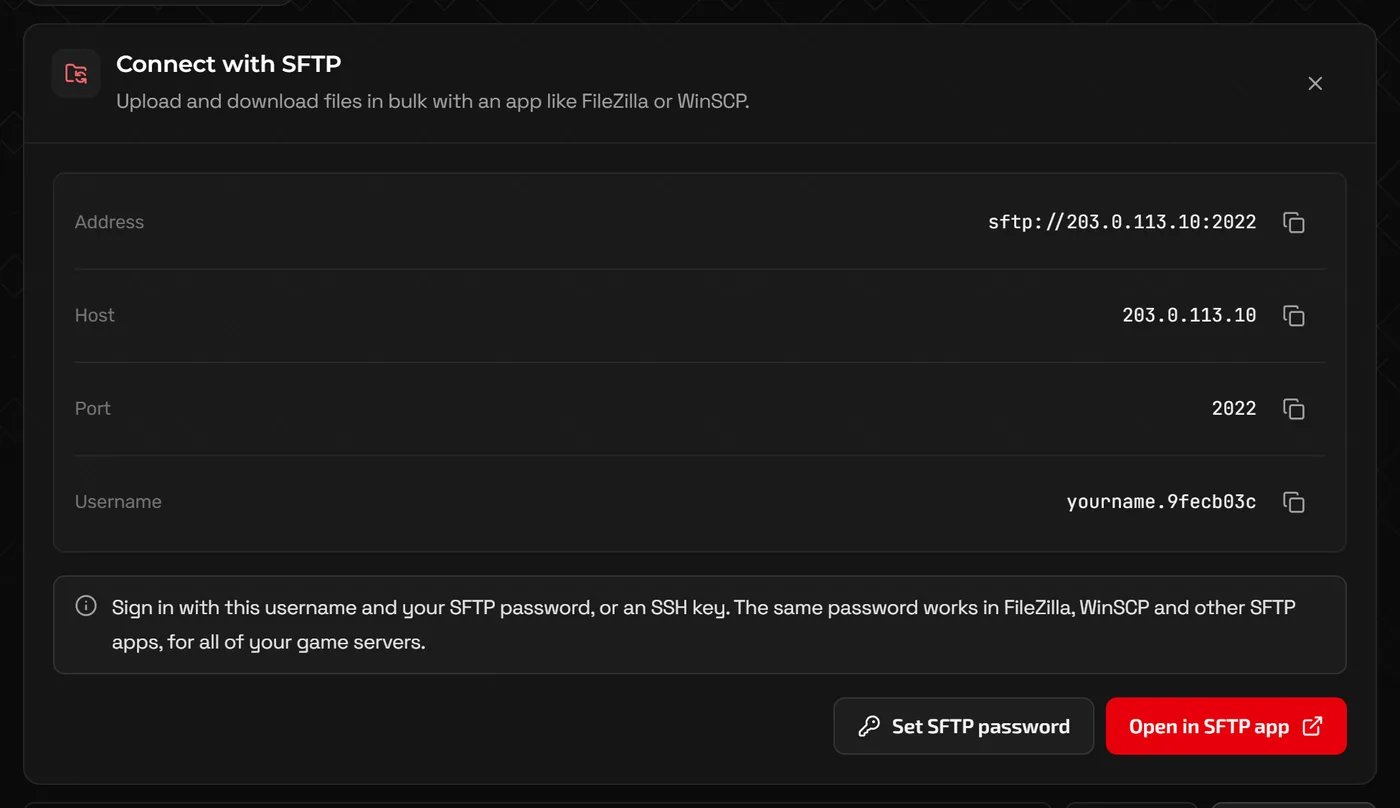
You can edit both files with Files in the panel, or download and upload them over SFTP if you prefer your own editor.
Rates and difficulty (GameUserSettings.ini)
[ServerSettings]
ServerAdminPassword=use-a-long-secret
ServerPassword=
XPMultiplier=2.0
TamingSpeedMultiplier=3.0
HarvestAmountMultiplier=2.0
DifficultyOffset=1.0
OverrideOfficialDifficulty=5.0
ServerPVE=True
AllowThirdPersonPlayer=True
ShowMapPlayerLocation=TrueXPMultipliere.g. 2.0- Experience for players and tames.
TamingSpeedMultipliere.g. 3.0- How fast knocked-out creatures tame. One of the most requested changes on small servers.
HarvestAmountMultipliere.g. 2.0- Resources per hit when gathering.
OverrideOfficialDifficultye.g. 5.0- Sets the maximum wild creature level to this value times 30, so
5.0gives level 150 wild creatures, the same as official servers. DifficultyOffsete.g. 1.0- Use
1.0alongsideOverrideOfficialDifficulty. ServerPVEe.g. True- Turns off player-versus-player damage and raiding.
PlayerCharacterFoodDrainMultiplier / PlayerCharacterWaterDrainMultipliere.g. 0.5- How fast players get hungry and thirsty. Lower is slower.
DayCycleSpeedScalee.g. 1.0- Overall speed of the day and night cycle.
MaxTamedDinose.g. 5000- Server-wide cap on tamed creatures. More tames means more load and bigger saves.
Wild creatures keep their old levels after you change difficulty. Once the server is back up, run DestroyWildDinos as an admin (see below) so the map respawns with the new levels. It does not touch tamed creatures.
Breeding and imprinting (Game.ini)
[/Script/ShooterGame.ShooterGameMode]
EggHatchSpeedMultiplier=10.0
BabyMatureSpeedMultiplier=10.0
BabyCuddleIntervalMultiplier=0.1
BabyImprintAmountMultiplier=10.0
MatingIntervalMultiplier=0.1
LayEggIntervalMultiplier=0.5EggHatchSpeedMultipliere.g. 10.0- Egg incubation speed.
BabyMatureSpeedMultipliere.g. 10.0- How fast babies grow up. The biggest time saver for breeders.
BabyCuddleIntervalMultipliere.g. 0.1- Time between imprint requests. Lower means more frequent.
BabyImprintAmountMultipliere.g. 10.0- Imprint gained per interaction. Pair it with the cuddle interval so babies can reach 100% before they mature.
MatingIntervalMultipliere.g. 0.1- Cooldown between matings. Lower is shorter.
Tip: Very fast maturation with a slow cuddle interval means babies grow up before anyone can imprint them. Lower both together.
Per-level stat gains (Game.ini)
Stat multipliers use an index number in square brackets. The same indexes work for PerLevelStatsMultiplier_Player, PerLevelStatsMultiplier_DinoTamed and PerLevelStatsMultiplier_DinoWild:
0Health,1Stamina,2Torpidity,3Oxygen,4Food,5Water6Temperature,7Weight,8Melee damage,9Movement speed,10Fortitude,11Crafting speed
PerLevelStatsMultiplier_Player[7]=2.0
PerLevelStatsMultiplier_DinoTamed[7]=2.0
bAllowUnlimitedRespecs=True
That example doubles weight gained per level point for players and tames, and lets players respec with Mindwipe Tonic as often as they like.
Admin access and commands
- Set the Admin password on Server & access (or
ServerAdminPasswordin the ini) and restart. Server & access also shows the command under Become an admin in game. - In game, press Tab to open the console and type
EnableCheatsfollowed by the admin password. - Run admin commands with the
admincheatprefix.
EnableCheats use-a-long-secret
admincheat ListPlayers                 players and their IDs
admincheat KickPlayer <ID>
admincheat BanPlayer <ID>
admincheat UnbanPlayer <ID>
admincheat Broadcast Restart in 10 minutes
admincheat SaveWorld
admincheat SetTimeOfDay 08:00
admincheat DestroyWildDinos             respawn wild creatures
admincheat God
admincheat Fly                         use admincheat Walk to stop
ASA uses Epic Online Services account IDs rather than Steam IDs, so copy IDs from ListPlayers. To make someone an admin without sharing the password, add their ID on its own line to ShooterGame/Saved/AllowedCheaterAccountIDs.txt and restart.
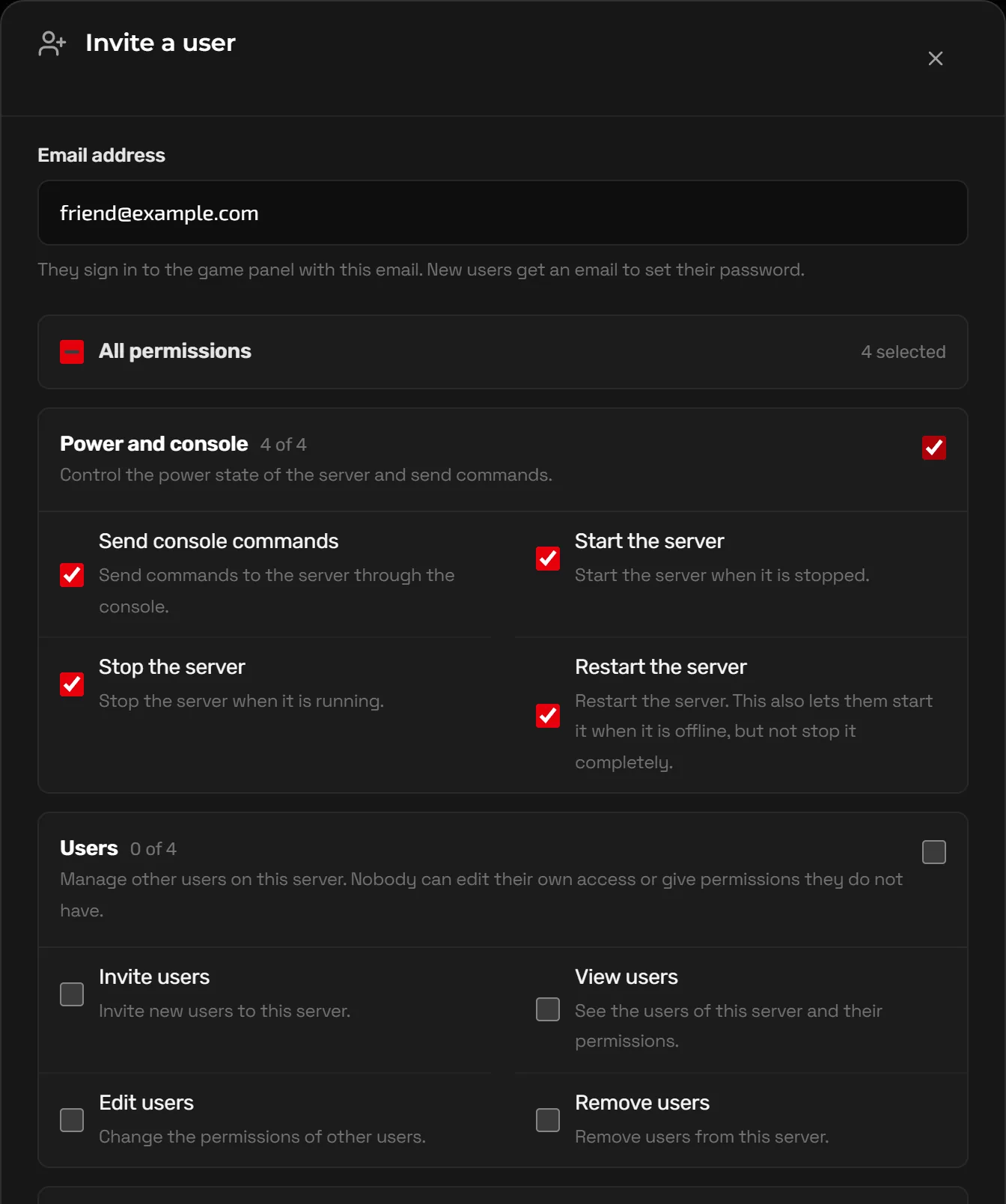
Panel access is separate. To let a co-admin restart the server, use the console or edit the ini files without your login, click Advanced tools at the bottom of the sidebar, open Users and invite them with only the permissions they need.
Adding CurseForge mods
ASA mods come from CurseForge and are loaded with the -mods launch option, a comma-separated list of CurseForge Project IDs (shown on each mod's page).
- Note the Project ID of each mod you want.
- Stop the server, click Create backup on the Backups page, then open Mods in the panel. Add each Project ID under Selected mods, or find mods in the CurseForge catalog on the same page, and save. If the page says your server can't load mods yet, contact support.
- Start the server. It downloads the mods, and players get them automatically when they join.
- Order can matter: load libraries and framework mods before the mods that depend on them.
- Removing a mod that added creatures or structures deletes them from the world, so back up first.
- After ASA updates, some mods break until their authors update them. Check the console if the server stops starting after a patch.
FAQ
Why are my ARK settings resetting?
You edited GameUserSettings.ini while the server was running, and it overwrote the file on shutdown. Stop the server, edit, then start it again. Also check the value is not being set on Server & access or Game settings, or as a launch option on Startup (Advanced view), which override the file.
What map names does ASA use?
Official maps end in _WP, for example TheIsland_WP, ScorchedEarth_WP, TheCenter_WP, Aberration_WP and Extinction_WP. The map is set under Map on Server & access, which also takes the name of a mod map.
How much memory does an ASA server need?
ARK: Survival Ascended is one of the heaviest survival games to host, and mods, large bases and many tames add more. Start from the recommended plans on the ASA page and upgrade from the client portal if the server runs short.
Can I make a PvE server with no raiding?
Yes. Set ServerPVE=True in GameUserSettings.ini. Many PvE servers also add DisableStructureDecayPvE=True so bases of players who take a break do not decay.
Related guides
Palworld Server Settings Explained (PalWorldSettings.ini)
Where PalWorldSettings.ini lives, how to edit it without breaking it, what the important keys do, and how to use admin commands.
Rust Server Admin Commands and Setup Guide
server.cfg basics, ownerid and moderatorid, everyday admin commands, Oxide and Carbon plugins, and how wipes work.
How to Make a Minecraft Server to Play With Friends
Java or Bedrock, how much RAM you need, the server.properties settings that matter, ops and whitelists, and how friends connect.