
Minecraft Server Not Showing Up or Can't Connect? How to Fix It
When nobody can get onto a Minecraft server, the cause is almost always one of a short list, and the error message on the player's screen usually says which. Work through this guide in order: the early checks take seconds and solve most cases.
On this page (8 sections)
Panel names below are from the NEXUS Game Hosting Panel. Where a page is only in the Advanced view, it says so.
1. Is the server actually running?
- The badge next to the server name at the top of the panel should not say Offline. If it does, start the server with the power button, or with Start server on the Home page.
- Open the Console and wait for a line like
Done (8.214s)! For help, type "help". Until then the server is still starting and will refuse connections. Modpacks can take several minutes. - If the server stops on its own a few seconds after starting, skip to section 7.
2. Are players using the right address and port?
Copy the address from the Home page with Copy address rather than typing it, or send it with Invite friends, whose Copy invitation puts the address and what friends need in one message. A NEXUS server rarely uses the default port 25565, so the port must be part of what players enter.
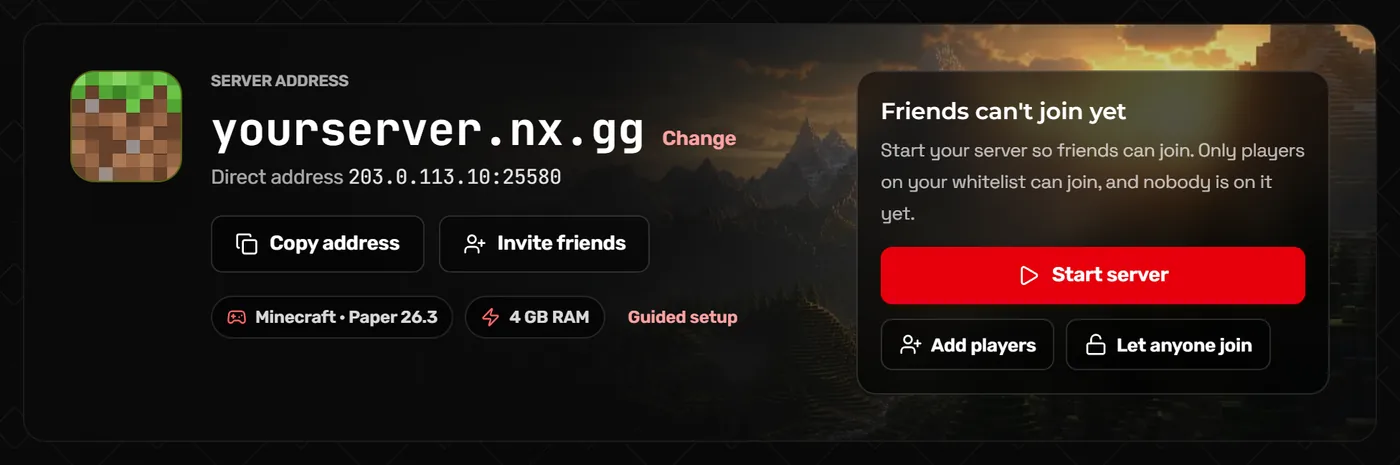
- Java: paste the whole address into Server Address, for example
yourserver.nx.gg. If you use the direct address instead, include its port: leaving off:portmakes Minecraft try 25565. - Bedrock: the IP goes in Server Address and the port in the separate Port box. Bedrock only works if the server runs Geyser; see our Geyser crossplay guide.
- Free subdomain: if you claimed a
.nx.ggname on Server address, players can use that instead of the IP. If it does not work straight away, give it a few minutes and try the IP to rule it out.
3. Server shows as offline in the multiplayer list
If the server is running but appears with a red cross or "Can't connect to server" in the list, while joining directly still works, check Show in the server list (enable-status) under More settings on Game settings. When it is off, the panel explains, your server looks offline in the multiplayer list. Hide who's online only hides player names and does not block joining.

4. "Outdated client" or "Outdated server"
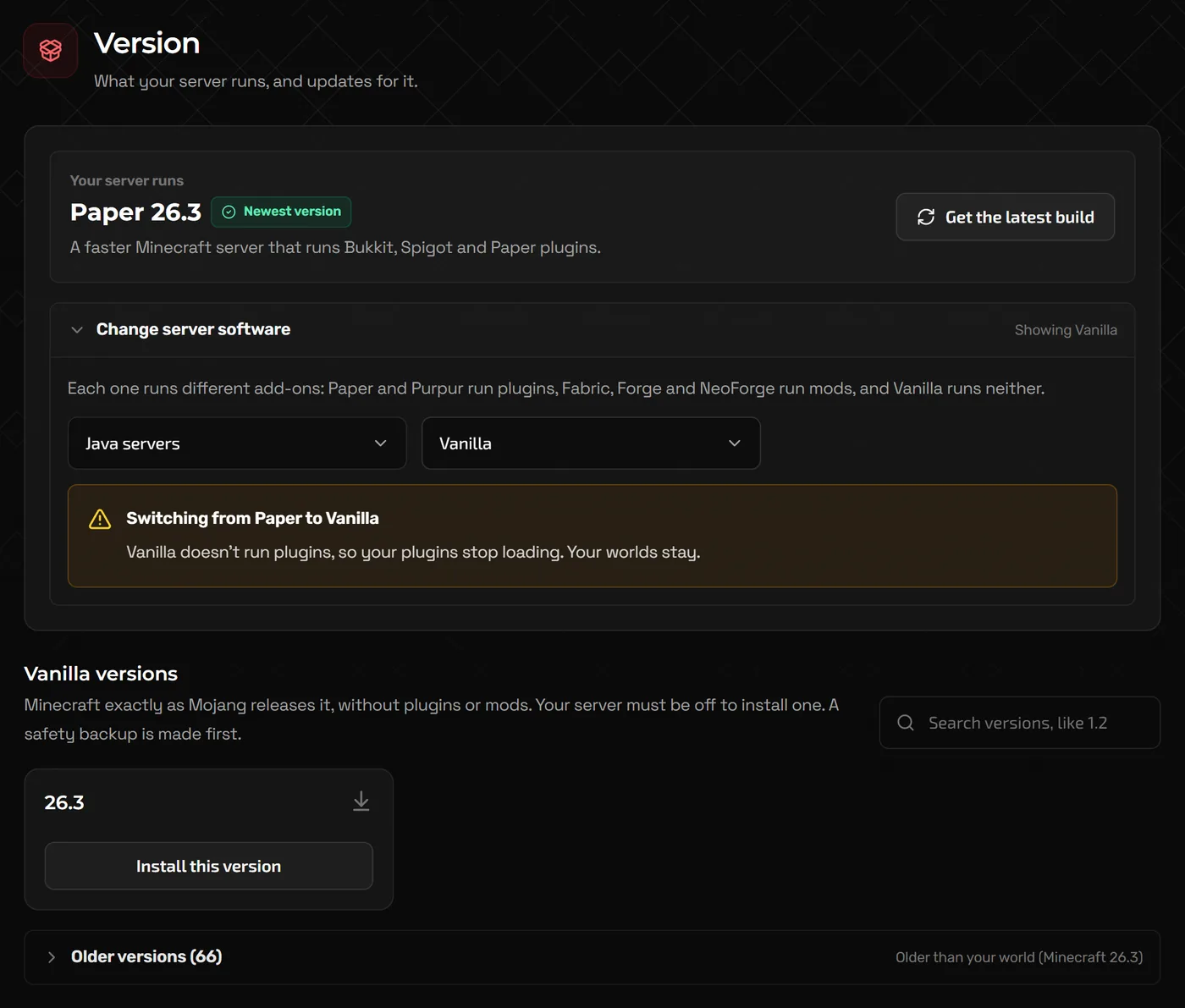
The player's game version does not match the server. Either the player switches version in their launcher, or you change the server on the Version page (stop the server first; Minecraft cannot move a world back to an older version). On Paper, the ViaVersion plugin lets newer clients join an older server.
On modded servers the error can look different, such as a list of missing or mismatched mods. Every player needs the same mods at the same versions as the server; the mods guide explains which mods belong where.
5. Whitelist, bans and account checks
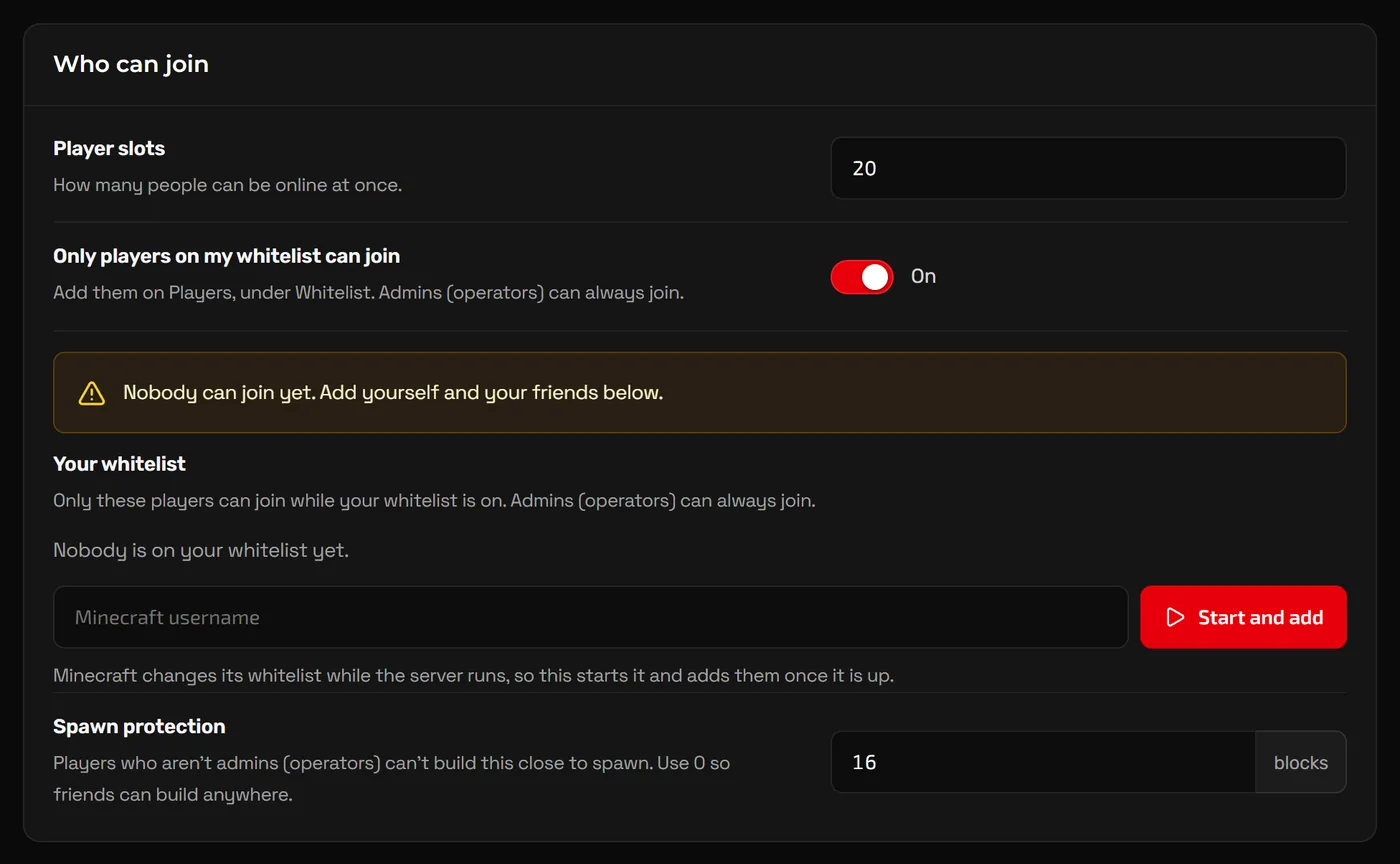
"You are not whitelisted on this server"- Add the player on the Whitelist tab of Players (or run
whitelist add PlayerNamein the Console), or turn off Only players on my whitelist can join under Who can join on Game settings. While the server is online with the whitelist on, the card next to your address on Home offers Add players too. Names must match exactly. "You are banned from this server"- Open the player on the Banned tab of Players and choose Unban player while the server runs, or run
pardon PlayerNamein the Console (pardon-ipfor an IP ban). Bans are stored inbanned-players.jsonandbanned-ips.json. "Failed to verify username"- The player's launcher session has expired; restarting the launcher fixes it. With Require real Minecraft accounts (
online-mode) on, which you should keep, players on unofficial launchers cannot join. Kicked right after joining, with a VPN- Block VPN logins (
prevent-proxy-connections) kicks players whose connection does not match the one Mojang saw. Turn it off if it catches real players. Chat or join errors about profile keys- Require signed chat (
enforce-secure-profile) stops some players and all Geyser players. Turn it off if you use Geyser or a proxy.
6. Server full, or "Timed out" after joining
- "The server is full": raise Player slots on Game settings and restart.
- Players join, then time out: the server may be overloaded rather than unreachable. Check memory on Overview (click Advanced tools at the bottom of the sidebar) and run
tpson Paper. Our RAM guide explains how to tell memory problems from tick lag. - One player cannot join while others can: the problem is usually on their side: their internet, a firewall, or an outdated or modded client.
7. The server crashes or will not finish starting
- Check the Home page: after a crash or a failed start it shows a card saying so, with the likely cause when it can tell and the last lines the server printed.
- Read the last lines in the Console. The error is usually named near the bottom.
- For more detail, open
logs/latest.login Files, and for modded servers the newest file incrash-reports. java.lang.OutOfMemoryErrormeans the server ran out of memory: remove the last mods you added or move up a plan.- Errors naming a plugin or mod usually mean it is built for another Minecraft version or loader. Remove it, restart, and replace it with the right version.
- If you changed something just before it broke, restore the backup you made on the Backups page.
FAQ
Why can I join but my friends cannot?
Check they are using the full address with the port, the same Minecraft version, and are on your whitelist if it is on. If only one friend has the problem, it is usually their connection or client.
Does my server need port forwarding?
No. Port forwarding is for servers hosted at home. A NEXUS server is already reachable at the address on its Home page.
The server worked yesterday and now nobody can join. What changed?
Usually a Minecraft update (players updated, the server did not, or the reverse) or a plugin or mod update. Check the Console for errors and match versions on the Version page.
Who do I contact if none of this helps?
Our support team. Include the exact error message players see and the last lines of the Console, which saves a round of questions.
Related guides
Let Bedrock Players Join Your Java Minecraft Server (Geyser and Floodgate)
Install Geyser and Floodgate from the panel, share one port for Java and Bedrock, and get Bedrock players connected.
How Much RAM Does a Minecraft Server Need?
RAM by player count, plugins, mods and modpacks, how to read the memory graph, and when RAM is not the real problem.
How to Make a Minecraft Server to Play With Friends
Java or Bedrock, how much RAM you need, the server.properties settings that matter, ops and whitelists, and how friends connect.